Joshua Brauer

But that's my job!!

July 9, 2010

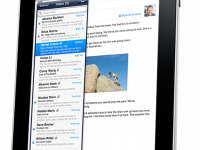
While running errands today I stopped in the credit union to do a little business and see who I could talk to about the problematic iPad website. It's a simple problem really, the iPad is redirected to the mobile website. As you'll see if you visit the mobile site it is pretty spartan. More problematically there is no way to opt-out of using the mobile site.

So I try to explain the problem and I'm treated to an explanation of how the browser on the iPad works. "You see, the iPad looks to the server just like an iPhone so it's not possible to tell," goes the explanation. Of course it's complete balderdash. I explain that I spend my days working on some relatively large websites and know a thing or two and in fact it is possible to differentiate the two.

Of course it's not necessary to take my word for it. Apple has published a technote on this very topic.


Read more about But that's my job!!

Benefits from the OS X 10.6.4 update

June 20, 2010

Apple Mail ApplicationMurphy's law and it's corollaries dictate that not only will things that can go wrong will go wrong, but they will do so at the least possible convenient time. Thus it was that at the end of April as I was getting ready to transition to a few months of full-time travel Apple's Mail app decided to head south. The main symptom was an incredible use of memory. I could launch Mail and a short time later not only would all 8GB of RAM in my machine be swallowed up but it would be using 20GB more on disk for swap space. All and all a totally unusable situation.

Read more about Benefits from the OS X 10.6.4 update

A tip on applying for jobs

April 7, 2010

One of the things I do on an ongoing basis is help maintain the job applicant system at the office. A couple of trends continue to amaze me. First of all if you're submitting a file giving it the name "resume.doc" is a sure-fire way to make sure your resume will get lost, messed up and never make it to where it needs to be. A second great way to cause problems is to put special characters in the file name. Calling it "Joe's Resume.doc" or "resume/web-2010.pdf" won't help you win friends either.

So here is a simple idea. Keep the name of your files descriptive and use only letters, numbers, dashes and underscores in the file name. The newspaper says there are a few folks out there looking for jobs these days. You don't want to miss out on the interview just because the folks trying to read your resume can't find it amongst the piles of submissions.

Read more about A tip on applying for jobs

Daddy can I get married?

March 4, 2010

Daughter looking out...Just how much kids pick up from the world around them is amazing. Each day some new words are added to their vocabularies, used correctly and leave parents asking just when did this happen. By way of explanation a few recent examples from our 2-year-old.

As she was exploring the office she picked up something breakable. “We need to be careful with that,” I reminded her.

“Because it’s fragile?” she asked. Now the pronunciation was a little more like frag-gile but the meaning was clear. As she went on exploring I wondered where along the way she had added fragile to her vocabulary.

Read more about Daddy can I get married?

A formula for television news

February 3, 2010

A friend sent me this great video the other day. It does a nice job of highlighting the formula used in so many mundane news stories on the nightly news.

Read more about A formula for television news

Tools of the trade: Dropbox

January 30, 2010

Dropbox logo Over the course of talking to computer users each day I'm consistently amazed at the varied ways we use the same tools. More often than not an exchange ensues where we share our favorite tools and tricks. Here I'll start an occasional series of posts on the tools I use that make the dozen hours a day I'm in front of a screen pass quicker. First up on that list is Dropbox.

Dropbox

At first glance Dropbox is an application that provides a network-syncronized file directory. The rich feature set doesn't disappoint. With everything from a solid web interface to an iPhone app the methods of accessing your directory. It's also possible to upload photos and videos from the iPhone as well as all kinds of files from the web interface.

While there are network file systems that are shared file systems Dropbox is a little different. It runs a small application that watches your local directory and synchronizes any changes to the network. All of this leads to several handy ways of using Dropbox.

Read more about Tools of the trade: Dropbox

Flagging Drupal Planet

January 13, 2010

flagger_sign.jpg A little over a year ago I blogged about moving to using a Drupal Planet tag to determine which posts about Drupal get posted on Drupal Planet. This is certainly better than having every Drupal related post appear in Drupal Planet. Why not send everything? Well there are a number of smaller posts that don't need to land in the hundreds of RSS inboxes around the globe but should still appear on my site.

However, the separate tag method has its drawbacks. For one thing it means my site now has, by default, two pages of Drupal posts. One contains all the posts and the other just those that went to Drupal Planet. Visitors to my site, however, don't need to see this distinction. In fact they are put off by it because it's a nonsensical differentiation for these visitors. Even somebody following a link from Drupal Planet is left with just a few posts and might not find some other smaller posts that could be helpful.

Read more about Flagging Drupal Planet

Pages

  • « first
  • ‹ previous
  • …
  • 4
  • 5
  • 6
  • 7
  • 8
  • 9
  • 10
  • 11
  • 12
  • …
  • next ›
  • last »
Subscribe to

Search this site.

© 1995-2016 Joshua Brauer.

GitHub RSS feed 500px LinkedIn