Photography

Using iPad to hold your photos while on vacation

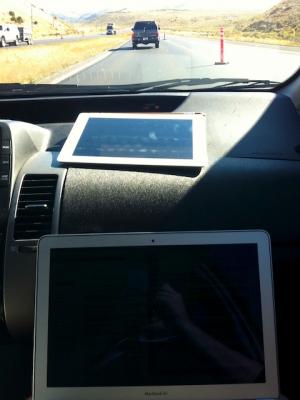
Working on computer on the roadA family member recently sent a question to my wife about how to keep photos safe while traveling.

And speaking of road trips, we are heading to Hawaii and are planning on getting an iPad for entertainment along the way. We are wondering if you have used your iPad as a photo transfer station from your EyeFi card to your iPhoto at home. Does it work that way? We don't have a laptop, so we were thinking an EyeFi card would allow us to take pictures and upload them to our iPad (and ultimately our computer) for safe keeping. Or, would we be better off taking the card to the local Costco to get a cd made to make sure we have the pics safe and sound? Thank you for any insight you might be able to offer.

This is a workflow I've spent quite a bit of time on over the years. My thinking is definitely affected by two instances of losing photos I'd really like to have back.

The first instance where I lost photos was years ago on a business trip to Wichita of all places. I'd taken some photos on the plane as well as some pretty nice sunset photos. I'd reviewed them on the camera's (tiny by modern standards) screen and shared them with colleagues on the trip. When I downloaded the photos I didn't notice that the card was evidently corrupted in some way and only a portion of the photos were saved to the computer. Thinking that all was well the card was formatted and I went on shooting. Had I caught it in time I could have likely used some card recovery software and gotten back at least some of the photos.

Photographing the White House

Last week brought a great Open for Questions session with Pete Souza the White House photographer. It is one of my favorite sorts of pieces giving a nice look into what working at a place as unique as the White House and how still images can do so much to show the human side of what such a revered place.

So here's a look at this great talk:

NEF, Photoshop and Nikon Scans

Almost two weeks ago I wrote about problems with Nikon NEF format scans and Photoshop CS2. The problem was that the scans wouldn't work in Photoshop or Apple's Preview etc.

Today I found the solution. Downloading and installing Nikon View 6.2.7 enables Photoshop CS2 to open and work with Nikon scanner raw (NEF) images. With Photoshop now able to work with the images it's a short trip to Adobe Bridge and an automatic workflow.

Say it is not so...

Having just received a book full of DVD's, each with scanned rolls of film from yesteryear I ran home to open them up in Photoshop. It appears Photoshop CS2 cannot open Nikon's .nef format raw scans. The article above explains that different "NEF" files, Nikon's raw camera format, are well, different. It seems neither Preview nor Photoshop can open the images.

Earthbound Light has a good piece that goes on to explain why one need not use Nikon Raw (NEF) format from scanners to begin with.

Snowy spring

The first night of Spring 2006 brought snow to the desert southwest. At lower elevations the snow took the form of rain more frequently than snow but it was beautiful and refreshing all the same.

A series of accidents on Columbia Pass and the closure of Columbia Pass as well as State Route 160 near Mountain Springs meant a morning spent at home. The sights of the first day of Spring in Sandy Valley are much better than those from my office.

Flight recorder

I came across a post looking for ideas on recording in flight. I've recently talked about trying to setup just such a system. Mentioned in the comments on the post above is the Firestore FS-4 which seems like the ideal recorder for this sort of thing. In my case, however, I'd like the camera mounted externally to be essentially disposable - i.e. I don't want to spend hundreds of dollars.

The ideal setup would seem to be a method of connecting an iSight camera directly to a Firestore FS-4 without needing to have a computer to attach the iSight to. And I'd like to be able to record audio as well (plug into the intercom or put a small microphone in the ear-cup). The bullet and lipstick cams look interesting but still rely upon relatively expensive equipment (cameras) inside the aircraft that would also need to have tapes changed during flight - not something that is possible in the application I'd like to experiment with.

Robot race

"NO DRIVR" reads the ontario license plate. "driven by Mac OS X" reads the fender of one Volkswagen Toureg. In comes another dust-covered Toureg with its play on the familiar Volkswagen line "Drivers not needed," the rear fender proclaims. Indeed it is almost correct. The vehicle has just become the first to traverse the 132-mile course with only a computer at the controls. Though it has logged more than a thousand miles in training its artificial intelligence system, the 132 that it logged on Saturday are historic.

The Defense Advanced Research Projects Agency (DARPA) 2005 Grand Challenge filled the parking lot behind Buffalo Bills' in Primm, Nevada this weekend. I snapped a few photos of the first vehicles to complete the 132-mile desert course. In contrast to the 2004 Grand Challenge where the top teams managed only seven miles, 22 of the 23 finalists surpassed the seven-mile mark. Five teams finished the entire 132-mile course this year, although only four finished in the alloted 10-hour timeframe. 43 teams went to the National Qualification Event over the last two weeks. The teams competing had bots ranging in size from Blue Team's diminutive Ghostrider Robot a motorcycle based platform to the 16-ton green machine TerraMax.

Stanford's Stanley, a Volkswagen Toureg, completed the course in 6 hours 53 minutes and 58 seconds to win the challenge's $2 million purse.
Nikon D50

Killing some time in Chicago this evening I stopped in to look at the Nikon D50. It looks like it will be a great alternative to the more expensive D70. The body is smaller and the grip is smaller, slightly, than the D70 and quite a bit smaller than the D100 making it more accessible to folks with smaller hands.

Subscribe to Photography